
Ask, write, rephrase,
anywhere.
Press ⌘M in any app on your Mac. Ask, write, or polish, right where you are.
Works for every app you use.
Stop losing your marbles
over copy-paste.
AI shouldn't be a detour through tabs.

From friction to flow.
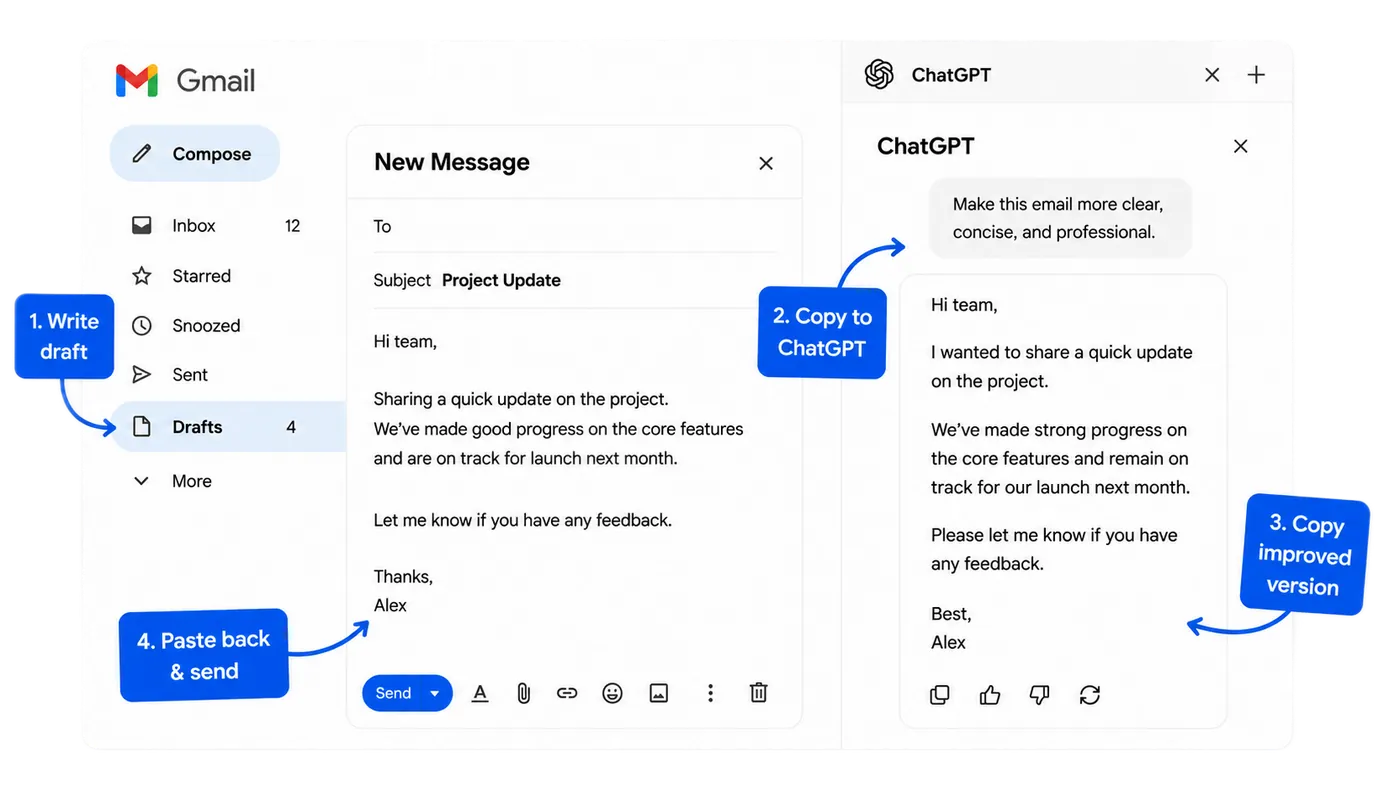
A whole detour. Every. Single. Time.
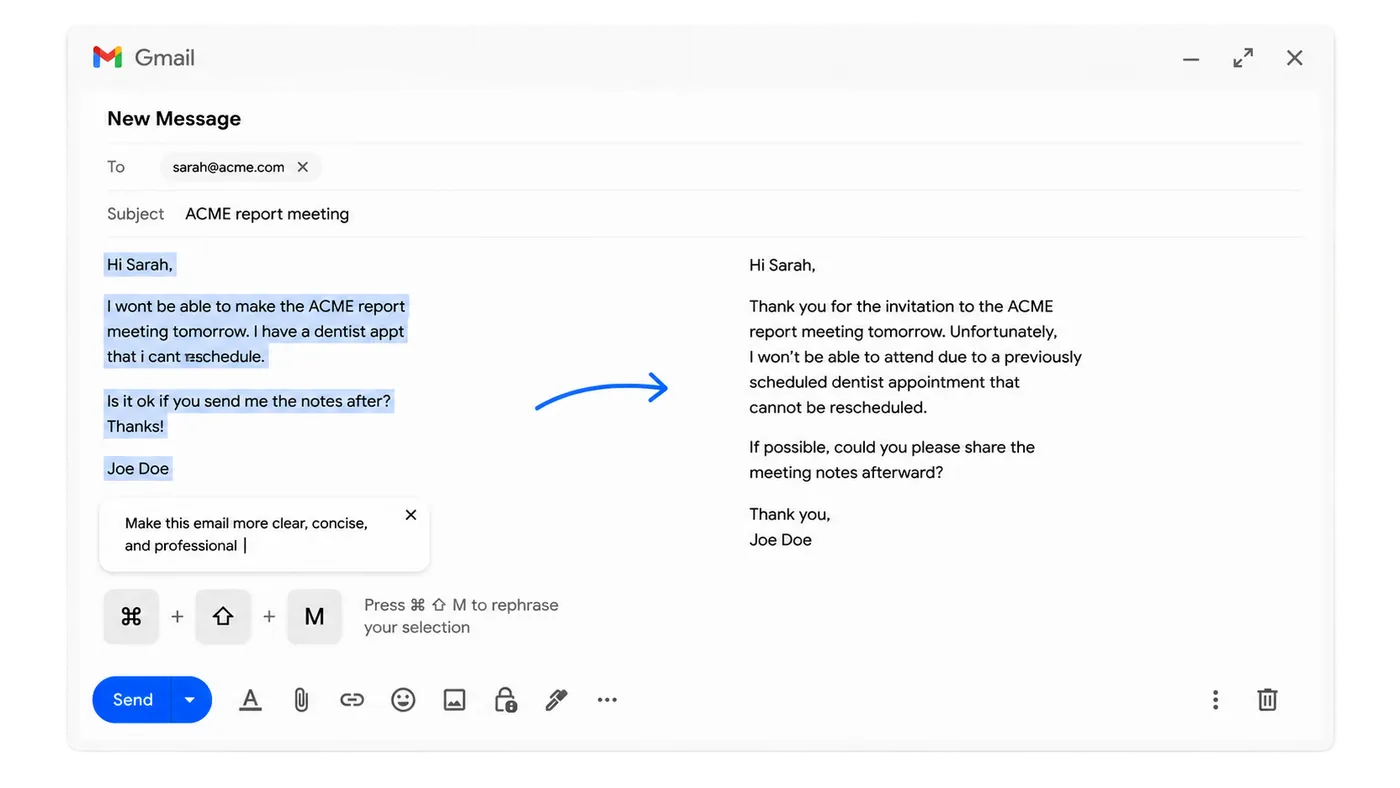
One keystroke. Done.
Works for 95+ languages.
English, Norsk, 日本語, Español. Marble works in whatever language you're working in.
Lightning-fast answers.
Quick enough to keep you in the flow. No tab-switching, no losing your train of thought.

Fits your needs…



Ask any question.
Edit, rephrase, translate anything.
Write anything anywhere.
Frequently asked questions
Anywhere you type or read on macOS: Mail, Slack, your IDE, browser textareas, Notes. Highlight text to rephrase or transform it, or just ask Marble something without a selection.
Yes, completely free. Marble runs through our hosted OpenAI proxy, with no account, no API key, and no payment required. Fair-use rate limits apply per device so the shared backend stays available to everyone.
When you press ⌘M, Marble sends your selected text (or, if nothing is selected, a screenshot of your current screen) along with your prompt to OpenAI via our hosted proxy. That's it: no clipboard monitoring, no background capture, no telemetry. The 20 most recent results stay locally on your machine.
Yes. ⌘M is the default, but you can rebind it (and the ⌘⇧M context shortcut) to any combination you like from Marble's settings window — click the hotkey pill, then press the keys you want.
Your AI, one keystroke away.
Add Marble to your Mac. Press ⌘M in any app to ask, write, polish, and keep moving.